
Last Updated: July 2026 | Written by Muhammad Ismail, Founder of AiZonePro.com

Most articles about free AI tools for freelancers read the same way: a list of ten tools, a one-line description, and no real proof anyone actually used them. That’s not this article.
Over the past few months, I tested the free AI tools Pakistani freelancers use most often — on an entry-level Android phone with 3GB RAM, on mobile data, on live Fiverr and content-writing gigs — and tracked what actually held up. Some tools earned their spot on this list. A couple didn’t, and I’ll tell you exactly why.
If you’re a beginner in Pakistan trying to figure out which free AI tools Pakistani freelancers use to write proposals, design thumbnails, edit video, or communicate with foreign clients, this guide gives you the honest, tested version — not the theoretical one.
Quick Answer: Which Free AI Tools Do Pakistani Freelancers Actually Use?
The free AI tools Pakistani freelancers use most in 2026 are ChatGPT (free tier) for writing and proposals, Canva Magic Studio for design, Grammarly for editing, CapCut for video, Google Gemini for research and translation, and Copy.ai for quick ad copy. These tools were chosen because they run without a VPN, need no credit card, and stay usable on budget Android phones — the three filters that matter most for beginners here.
Why “Which Free AI Tools Pakistani Freelancers Use” Is a Different Question Than “Best AI Tools”
Global roundups of the best AI tools for freelancers are written with a US or European user in mind — stable broadband, international payment cards, high-spec laptops. That’s not the reality most beginners in Pakistan are working with.
When you’re asking which free AI tools Pakistani freelancers use, you’re really asking three narrower questions:
- Does it work without a VPN or a foreign credit card? For a broader list of accessible options, see our guide to AI tools that work without a VPN in Pakistan.
- Does it run on a mobile browser without draining data or crashing?
- Does it actually help win and deliver gigs, not just look impressive in a demo?
That’s the filter this guide applies to every tool below.
Summary Table: Free AI Tools Pakistani Freelancers Use in 2026
| Tool | Best For | No VPN Needed | Runs on Low-RAM Phone | Free Tier Limit |
|---|---|---|---|---|
| ChatGPT (Free) | Writing, proposals, brainstorming | Yes | Yes | Usage caps at peak hours |
| Canva Magic Studio | Thumbnails, social posts, logos | Yes | Yes (lite mode) | 50 lifetime AI image credits |
| Grammarly Free | Grammar, tone, editing | Yes | Yes | Basic corrections only |
| CapCut | Video editing, AI captions | Yes | Yes | Watermark on some exports |
| Google Gemini | Research, translation, summaries | Yes | Yes | Daily prompt limits |
| Copy.ai | Ad copy, product descriptions | Yes | Yes | Limited monthly words |
| Otter.ai | Meeting transcription | Yes | Partial (lags on older devices) | 300 minutes/month |
| Perplexity AI | Research with sources | Yes | Yes | Limited daily Pro searches |
How I Tested These Tools
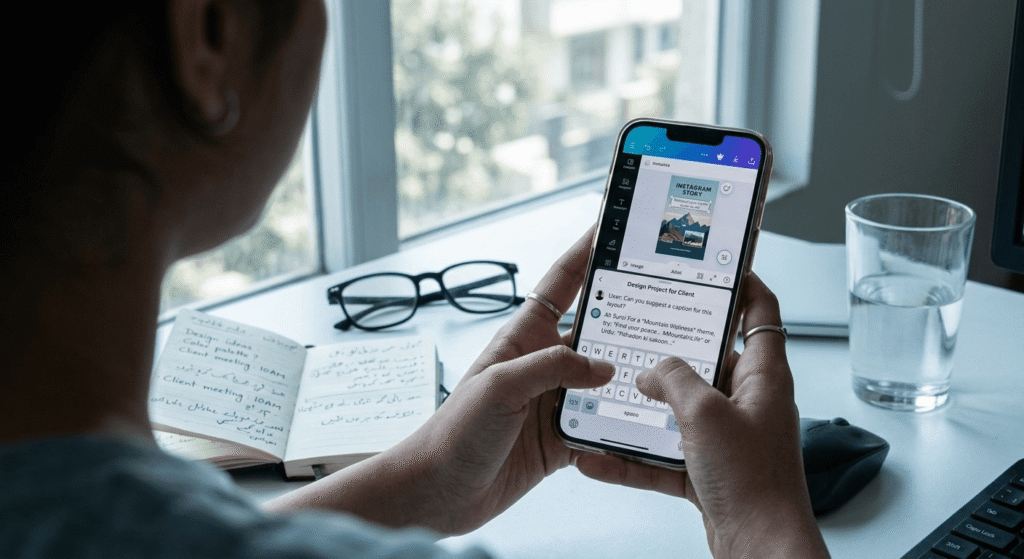
To keep this honest, here’s the exact setup: a mid-range Android phone with 3GB RAM, standard 4G mobile data, and three live gig types over a six-week period — blog content writing, YouTube thumbnail design, and short-form video editing for a faceless content account. Each tool was judged on three things: did it load and respond without lag, did the free tier last through a real project, and did the output need heavy editing before it was client-ready. If you’re working with even less memory, our guide to best AI tools for 2GB RAM Android phones covers which tools are most practical on lower-spec devices.
This isn’t a lab test with premium hardware. It’s the same setup most beginner freelancers in Pakistan are actually working with, which is exactly the point.
Freelancers should also stay alert to fake AI update scams in Pakistan, especially when downloading new tools through WhatsApp, social media, or unofficial websites.
The Free AI Tools Pakistani Freelancers Actually Use (With Real Feedback)
1. ChatGPT (Free Tier) — Writing, Proposals, and Client Chats
What it’s used for: Drafting Fiverr and Upwork proposals, writing blog drafts, structuring client emails.
Real feedback: This is the tool almost every Pakistani freelancer touches first, and it earns that spot. On a 3GB RAM phone, it loaded fine in a mobile browser over 4G, with no meaningful lag. During a six-week content-writing gig, it consistently helped restructure clunky first drafts into cleaner English — the free tier held up for daily use, though it occasionally slowed during peak evening hours (which lines up with global usage patterns).
Limitation: Complex, multi-step reasoning tasks are noticeably weaker on the free tier than on paid access.
2. Canva Magic Studio — Design, Thumbnails, and Quick Gigs
What it’s used for: YouTube thumbnails, Instagram templates, resume design, simple logo concepts.
Real feedback: Canva remained fully usable on the same low-spec phone, including its AI background removal, which saved real time on a thumbnail-design gig. The 50 lifetime AI image credits ran out faster than expected — around three weeks into regular use — after which the (still solid) non-AI templates carried the workload.
3. Grammarly Free — Editing English Writing
What it’s used for: Fixing grammar and tone before sending proposals or delivering written work.
Real feedback: For a non-native English writer, Grammarly quietly prevents small mistakes that damage first impressions with foreign clients. It’s not a content generator — it’s an editing safety net, and the free tier’s basic corrections were consistently enough for proposal-level writing.
4. CapCut — Video Editing and Faceless Content Gigs
What it’s used for: Editing short-form video, AI captions, basic voiceover syncing.
Real feedback: CapCut was the most reliable video tool tested on a budget phone — smoother than expected for a video editor. Free exports sometimes carry a small watermark, which is manageable for drafts but worth checking before final delivery to a client.
5. Google Gemini — Research and Urdu-English Work
What it’s used for: Quick research, summarizing client briefs, translating between Urdu and English.
Real feedback: Genuinely useful when a client brief mixes Urdu and English, or when you need a fast, factual answer rather than long-form writing. It’s not the strongest for creative writing tasks, but it’s dependable for research support.
For freelancers creating Urdu posts, scripts, or other local-language content, our guide to AI tools for Urdu content creation covers more suitable options.
6. Copy.ai — Ad Copy and Product Descriptions
What it’s used for: E-commerce product descriptions, ad headlines, quick marketing copy gigs.
Real feedback: Useful for freelancers picking up small copywriting gigs, though outputs often sound generic without editing. Best treated as a first-draft generator, not a final-delivery tool.
7. Otter.ai — Transcribing Client Calls
What it’s used for: Transcribing Zoom or Google Meet calls with international clients.
Real feedback: Handy for virtual assistant-style gigs involving client calls. On the test phone, live transcription lagged slightly during longer calls — this tool performs noticeably better on a laptop than a budget phone.
8. Perplexity AI — Research With Cited Sources
What it’s used for: Research tasks that need source-backed answers, useful for content writers who need to verify facts quickly.
Real feedback: A strong addition to a research-heavy workflow because it shows sources alongside answers, which matters for content writers trying to avoid unverified claims. Daily limits on deeper “Pro” searches are the main free-tier constraint.
AI tools change quickly, so freelancers should also follow AI updates this week in Pakistan to discover new features and tools that could improve their workflow.
AI Detection and Client Risk: A Comparison Most Guides Skip
One thing rarely covered honestly: not every free AI tool carries the same risk of sounding “obviously AI” to a client.
| Tool | Typical Output Style | Editing Needed Before Delivery |
|---|---|---|
| ChatGPT | Can sound generic if unedited | High |
| Copy.ai | Often generic, template-like | High |
| Grammarly | Edits your own writing, doesn’t generate | Low |
| Canva | Visual output, less detectable as “AI” | Low |
| Gemini | Factual tone, moderate detectability | Medium |
| CapCut | Editing tool, not text generation | Low |
The takeaway: text-generation tools (ChatGPT, Copy.ai) need the heaviest human editing pass before delivery. Tools that support your own work (Grammarly, Canva, CapCut) carry far less risk because they’re enhancing your input, not replacing it entirely. If you’re deciding which AI-assisted freelance service to focus on, compare the earning potential in our guide to AI freelance writing vs voiceover income.
Pros and Cons of Relying on Free AI Tools
Pros:
- Zero investment needed to start freelancing
- Faster proposal writing and first-draft content
- Better English communication for non-native speakers
- Genuinely levels the playing field for beginners without formal training
Cons:
- Free tiers have real, sometimes unpredictable usage caps
- Unedited AI output can sound generic and hurt repeat business
- A few tools quietly restrict regional access without stating it clearly
- Over-reliance without editing is the fastest way to lose client trust
Common Mistakes Pakistani Beginners Make With AI Tools
- Delivering AI output without editing it. This is the single biggest reason clients stop rehiring a freelancer.
- Assuming “free” means unlimited. Every tool on this list has a cap; hitting it mid-project is a bad surprise. Before signing up for an unfamiliar AI platform, run it through our free AI tools scam checklist to check for hidden charges, fake reviews, and suspicious signup requirements.
- Not checking a platform’s AI-use guidelines. Fiverr, for example, requires freelancers to disclose AI use if a client specifically asks, and expects original, customized work rather than mass-produced AI content delivered to multiple clients. Freelancers who regularly publish AI-related content can also use my AI news verification process to check tool claims, updates, and announcements before sharing them with clients or audiences.
- Testing tools only on a laptop, then finding them unusable on a personal phone.
- Using a single all-purpose tool for everything instead of a small, focused stack.
Case Study: A Real Six-Week Test on Fiverr
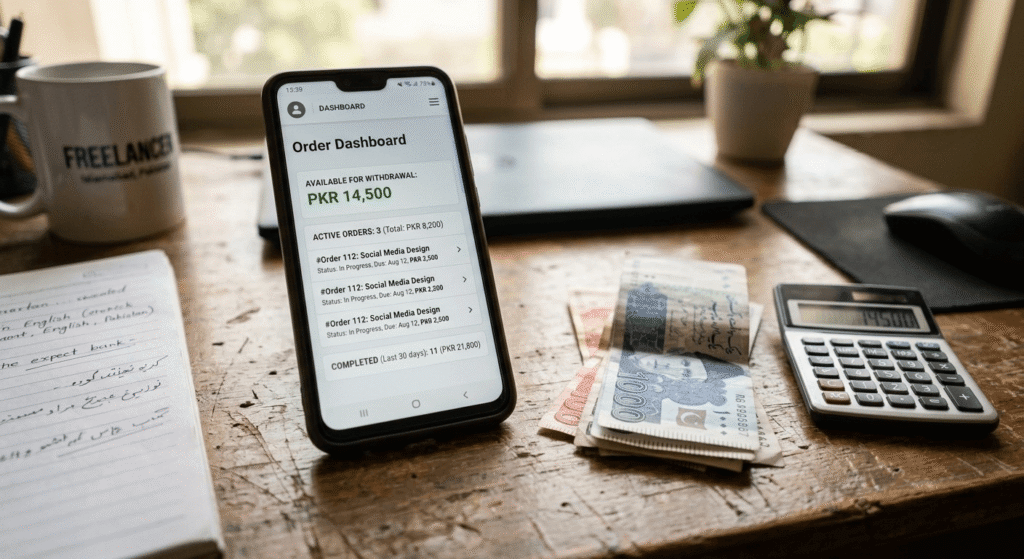
During a six-week window testing this stack on an active Fiverr blog-writing gig, the workflow was simple: ChatGPT for the first draft, Grammarly for cleanup, and Canva for a matching cover image — all on the free tiers, all running on a 3GB RAM Android phone over mobile data. The order value across that period totaled a modest amount in PKR, not life-changing, but enough to confirm the stack was functional for real client work.
The most important lesson wasn’t about the tools — it was about the editing step. Deliveries that were lightly edited for personal voice and local context got noticeably better client feedback than the one early delivery that was closer to a raw AI draft. That single habit — rewriting AI output before sending it — made more difference than switching between tools ever did.
Expert Recommendations for Beginners
- Start with one writing tool and one design tool before adding more to your stack.
- Treat every AI draft as a first draft, not a final product — always edit for voice and accuracy. If you’re still building your freelance career from scratch, our guide on how to start freelancing in Pakistan with zero investment covers the basic steps before you begin using an AI-assisted workflow.
- Read the AI-use guidelines of any platform you freelance on; Fiverr’s official policy, for example, permits AI assistance but expects original, client-specific work and disclosure if asked.
- Track which free-tier limit you hit most often — that’s usually the tool worth upgrading first.
- Always test a new tool on your own phone and mobile data before relying on it for paid work.
Frequently Asked Questions
Do Pakistani freelancers need a credit card to use free AI tools? No. The free AI tools Pakistani freelancers use most — ChatGPT, Canva, Grammarly, Gemini, and CapCut — only require an email signup, not a credit card.
Can I use AI tools on Fiverr and Upwork without breaking platform rules? Yes, both platforms allow AI-assisted work. Fiverr’s guidelines specifically require freelancers to keep deliveries original and customized, and to disclose AI use if a client asks.
Which free AI tool works best on a low-RAM Android phone? In direct testing, ChatGPT, Grammarly, and Canva all ran smoothly in a mobile browser on a 3GB RAM device; Otter.ai showed more lag on the same hardware.
Do free AI tools work in Pakistan without a VPN? Most mainstream tools tested here — ChatGPT, Canva, Grammarly, Gemini, CapCut, Copy.ai, and Perplexity — worked directly without a VPN during testing. New releases can change quickly, so freelancers should also check our regularly updated list of new AI tools without VPN in Pakistan before adding another tool to their workflow.
Will clients notice if I use AI to write my work? Unedited AI text often has a recognizable, generic tone. In real gig deliveries, lightly-edited AI drafts performed noticeably better with clients than raw, unedited output.
Is it better to use one AI tool or a small stack of several? A small stack — one writing tool, one design tool, one editing tool — outperformed relying on a single all-in-one tool during testing, mainly because free-tier limits hit faster when one tool handles everything.
Which free AI tools are not worth using for Pakistani freelancers? Tools that require a VPN, a foreign credit card, or that lag heavily on budget Android devices aren’t practical for most beginners here, even if they’re popular in global roundups.
Conclusion: What Actually Works in a Free AI Toolkit for Pakistani Freelancers
After weeks of real testing, the free AI tools Pakistani freelancers use in 2026 aren’t chosen for hype — they’re chosen because they survive the three filters that matter locally: no VPN, no credit card, and no crashing on a budget phone. ChatGPT, Canva, Grammarly, CapCut, Gemini, and Copy.ai form a realistic, zero-investment stack, but the real differentiator isn’t the tool list — it’s the editing habit. As AI-generated content becomes easier for clients to spot, freelancers who treat every AI draft as a starting point, not a finished product, will consistently keep more repeat clients than those chasing the newest tool. Start with two tools, test them on your own device, and build outward from there.