Last Updated: June 24, 2026 | By the AiZonePro Editorial Team — we test every tool hands-on before recommending it.
You sit down, type out a prompt, wait thirty seconds, and a surprisingly cinematic clip appears on your screen. Then you go to download it — and there it is: a company logo stamped across the corner, making the video useless for anything professional.
That frustration used to be unavoidable. In 2026, it doesn’t have to be. A handful of free AI video generators without watermark now deliver clean, download-ready exports at no cost — no subscription required, no credit card, no fine print that sneaks a logo onto your work.
If you’re completely new to AI tools, this free AI tools for beginners 2026 step-by-step mobile guide is a great place to start.
I spent three weeks testing over a dozen tools, generating hundreds of clips across different prompt styles, devices, and connection speeds. This guide covers only the tools that passed: genuinely watermark-free on the free tier, usable by a beginner, and honest about their limitations.
These free AI video generators without watermark are ideal for creators who want to test AI video creation without paying for expensive subscriptions.
Quick Comparison: Best Free AI Video Generators Without Watermark (2026)
In this guide, I tested the best free AI video generators without watermark to find which platforms actually provide clean exports, useful free credits, and beginner-friendly features in 2026.
| Tool | Watermark-Free on Free Plan? | Free Generations | Quality | Phone? | Best For |
|---|---|---|---|---|---|
| Seedance 2.0 | ✅ No branding on exports | Signup credits + referral bonuses | 1080p | ✅ Android & iOS browser | Beginners wanting clean output from day one |
| CapCut | ✅ Clean only on manual edits | Unlimited editing; AI clips are credit-gated | 1080p | ✅ Smooth on mid-range phones | Creators editing their own footage with AI tools |
| Veo 3.1 (Google Flow) | ⚠️ “Made with Veo” label on every export | Roughly 10 clips monthly | 720p free | ✅ Any mobile browser | Those chasing top quality before committing to a paid plan |
| Kling AI | ⚠️ Watermark on all free clips | Daily credit refresh every 24 hrs | 720p free | ✅ App and browser | Creators needing cinematic camera movement control |
| Pika Labs | ⚠️ Watermark baked into free exports | Around 10 credits each day | 720p free | ✅ Mobile browser | Artists after stylized and experimental visual effects |
| Stable Video Diffusion | ✅ Zero branding, fully clean | Unlimited via local hardware | GPU-dependent | ❌ Desktop GPU required | Developers wanting unrestricted generation with no limits |
⚠️ Honest Note on Veo 3 and CapCut: Both of these are exceptional tools — but the watermark situation is more nuanced than most guides admit. Google’s free Veo 3.1 tier via Google Flow and Google Vids does add a visible “Made with Veo” watermark. CapCut’s manual editing exports are clean, but AI-generated video clips within CapCut carry watermarks unless you’re on a paid plan. I’ll explain exactly what you can and can’t do for free with each tool below.
The Watermark Problem in 2026: What Nobody Tells Beginners
When choosing a watermark free AI video generator online, beginners should check export quality, free limits, and whether the tool allows real usage without hidden restrictions.
Before jumping into individual tools, here’s the honest framework for understanding “free” AI video in 2026.
Most platforms use one of three strategies:
Truly free, no watermark — The full export is clean. Seedance 2.0 via seedance.tv falls into this category.
Free tier with visible watermark — You can generate videos, but a logo or text overlay appears until you upgrade. Google Veo 3.1 (Google Flow, Google Vids), Kling AI, Pika Labs, and Runway all do this.
Free editing, watermarked AI generation — CapCut is the clearest example: manual editing exports are 100% watermark-free, but using CapCut’s built-in AI video generator adds a watermark unless you’re on a paid plan.
Knowing which category each tool falls into saves you a lot of wasted time. Let’s go through the tools that matter most.
Finding reliable free AI video generators without watermark is difficult because many platforms advertise “free” access but limit downloads or add branding.
1. Seedance 2.0 — Best Overall Free AI Video Generator Without Watermark 2026
Seedance 2.0 is ByteDance’s AI video model, accessible directly at seedance.tv. Of all the free AI video generators I tested, this one came closest to delivering what beginners actually need: clean exports, usable quality, and no payment wall blocking the door.
For anyone searching for free AI video generators without watermark, Seedance is currently one of the easiest options to test first.
What the free plan actually gives you:
- Free credits on account creation — no credit card required
- Watermark-free downloads at 1080p resolution
- Text-to-video and image-to-video generation
- Access to multiple ByteDance AI models from one dashboard
- Commercial use permitted on the free tier (verify current terms before publishing ads)
What I noticed in testing: Seedance handles motion consistency well — if you generate a person walking, the subject doesn’t warp or lose limbs mid-clip the way some competitors do. Cinematic prompts with lighting direction (“warm afternoon sun, shallow depth of field, slow pan right”) produced noticeably better results than vague descriptions.
One practical limitation: the free credit allocation is finite. Unlike what some sites claim, there is no “unlimited daily” free tier that persists forever. You get a starting credit batch at signup, and Seedance occasionally adds bonus credits through promotions and referrals. When those run out, you either wait for a promotion or upgrade. For most beginners testing the tool or working on a small project, the initial credits are enough to evaluate whether Seedance fits your workflow.
One thing to watch: Some third-party access routes to Seedance 2.0 — particularly through Dreamina (ByteDance’s international platform) — do add watermarks on the free tier. The clean watermark-free experience is through the official seedance.tv interface.
⭐ Best for: Beginners who want the cleanest free starting point for AI video generation, content creators building a portfolio, and anyone who needs commercially usable clips without paying upfront.
2. CapCut — Best Free Video Editor for AI-Assisted Content
CapCut deserves a spot on this list — but with an important clarification that most guides skip over.
It is one of the best free AI video tools 2026 for creators who need editing features, captions, and mobile-friendly video production.
Here’s the truth about CapCut’s watermark situation in June 2026:
If you edit your own footage manually (trimming, adding music, captions, transitions), CapCut exports that project completely watermark-free at up to 1080p. This is genuinely free, and it covers the majority of everyday creator workflows.
If you use a Pro-locked template or CapCut’s AI video generation features (text-to-video, AI avatar generation), the output carries a watermark. Removing it requires the Standard plan ($9.99/month) or Pro plan ($19.99/month).
For a beginner who wants to take their own footage — phone videos, screen recordings, photos — and turn them into polished short-form content with captions, transitions, and music, CapCut is exceptional and completely free. The auto-captions work well in 20+ languages. The template library is enormous. And the mobile app runs smoothly on mid-range Android phones, which matters if you’re creating from your phone.
You can also explore these best free AI tools that work on Android in 2026 if you’re creating content entirely from your smartphone.
Where CapCut falls short for pure AI video generation: the credit system for AI features is limited on the free tier, and the AI video generator’s content filters are strict — real human faces and copyrighted IP are frequently blocked as inputs.
⭐ Best for: Creators who film their own content and want AI-powered editing tools (auto-captions, background removal, auto-cut) with watermark-free exports. Not the best choice if your goal is generating videos entirely from text prompts.
3. Google Veo 3.1 — Best Quality, But Not Watermark-Free on Free Tier
Google’s Veo 3.1 is arguably the most impressive AI video model available to regular users in 2026. However, users searching for a text to video AI free no watermark solution should understand that Veo’s free tier still includes restrictions.
The cinematic realism — particularly in lighting, motion physics, and automatic audio generation — is genuinely ahead of most competitors.
The rapid growth of tools like Veo is one reason investors are paying close attention to developments such as the OpenAI IPO 2026: What It Means for ChatGPT Users.
I need to be direct here, though: Veo 3.1’s free tier is not watermark-free.
Both Google Vids and Google Flow — the two main consumer interfaces for Veo 3.1 — add a visible “Made with Veo” watermark to free tier and Pro tier exports. Removing that watermark requires Google AI Ultra at $249.99/month, and even then it’s subject to local regulations.
What you actually get for free:
- Google Vids (via Google Drive): ~50 daily credits, 720p, 8-second clips, watermarked
- Google Flow: ~10–12 video generations per month, 720p, watermarked on free and Pro tiers
- Google AI Studio: Developer access with limited free quota, no visible watermark reported by some users — but commercial use terms are unclear at this tier
The honest position: Veo 3.1 is worth knowing about and worth testing — especially through Google AI Studio if you’re comfortable with a slightly more technical interface. But if watermark-free export is your primary requirement on a zero budget, Veo 3.1 is not the right starting point in 2026.
⭐ Best for: Ideal if you’re serious about pushing output quality to its ceiling — whether that means running test generations before committing to a subscription, or pulling together rough draft footage where a logo in the corner isn’t a dealbreaker yet.
4. Kling AI — Best for Camera Control and Storyboard Work
Kling AI from Kuaishou reached a large creator following in 2026 largely because of one feature most competitors can’t match: director-level camera control. You can specify panning, tracking shots, push-ins, and orbital movements in your prompt, and Kling actually executes them with reasonable consistency.
Watermark situation: Kling AI’s free tier exports do carry a watermark. Clean exports require a paid plan. Daily free credits reset, giving you a workable way to experiment with the tool’s camera capabilities before committing to a subscription.
What stands out: Kling 3.0 (the current version) offers native 4K/60fps output on paid tiers and handles multi-shot storytelling — maintaining character consistency across multiple scenes — better than most alternatives. For filmmakers and storyboard artists, this is a significant advantage.
⭐ Best for: Creators who need camera movement control and are willing to watermark-test on free credits before upgrading. Not a watermark-free free tier.
5. Pika Labs — Best for Creative and Experimental Styles
Pika Labs produces some of the most visually distinctive output in the AI video space — style morphing, physics-driven effects, and motion that feels deliberately artistic rather than trying to mimic realism. If your goal is experimental or stylized content, Pika’s aesthetic is unique.
Watermark situation: Free tier exports are watermarked. Roughly 10 credits per day on the free tier with a daily reset.
Honest limitation: Pika’s free tier is genuinely limited. Ten credits per day doesn’t go far if you iterate through prompts to find the right output. It works well as a testing ground to understand the tool, but sustained free production isn’t realistic here.
⭐ Best for: Artists and creative professionals who want experimental visual effects. Not suitable as a daily production tool on the free tier.
6. Stable Video Diffusion (Open Source) — Best Unlimited Free Option
For technically minded users with a capable GPU, Stable Video Diffusion remains the only AI video option with genuinely unlimited, permanently free, completely watermark-free generation. There is no company branding, no credit system, and no server queue — because the model runs entirely on your own hardware.
The trade-off is real: setup requires familiarity with Python environments, CUDA drivers, and reasonable VRAM (8GB minimum, 12GB+ recommended for good quality). This isn’t a beginner option by any standard definition.
⭐ Best for: Developers, researchers, and technically experienced creators who need unlimited generation without any restrictions or platform dependency.
Honest Comparison Table: What You Really Get for Free
| Tool | Free Tier Watermark? | Free Resolution | Generation Limit | No Credit Card? | Commercial Use (Free)? |
|---|---|---|---|---|---|
| Seedance 2.0 (seedance.tv) | ❌ No watermark | 1080p | Credits at signup | ✅ Yes | ✅ Limited (check ToS) |
| CapCut (manual edits only) | ❌ No watermark | 1080p | Unlimited manual editing | ✅ Yes | ✅ Limited commercial license |
| Veo 3.1 (Google Flow / Vids) | ✅ Watermarked | 720p | 10–50 credits/month | ✅ Yes | ⚠️ Unclear on free tier |
| Kling AI | ✅ Watermarked | 720p | Daily reset credits | ✅ Yes | ❌ Paid only |
| Pika Labs | ✅ Watermarked | 720p | ~10 credits/day | ✅ Yes | ❌ Paid only |
| Runway Gen-4 | ✅ Watermarked | 720p | 125 credits/month | ✅ Yes | ❌ Paid only |
| Stable Video Diffusion | ❌ No watermark | Varies | Unlimited (local) | ✅ N/A | ✅ Yes (open source) |
Which Tool Actually Fits What You’re Trying to Do
For beginners looking for a free AI video generator for beginners, the easiest starting point is a tool that combines simple prompts, clean exports, and no complicated setup.
| Your Situation | Best Starting Point | Why |
|---|---|---|
| Complete beginner, just want to try AI video | Seedance 2.0 | Clean exports, no credit card, beginner-friendly interface |
| Creating Shorts/Reels with your own footage | CapCut (free) | Best-in-class editing tools, watermark-free for manual projects |
| Need cinematic quality, OK with watermark for now | Veo 3.1 via Google Flow | Best raw output quality available; evaluate before paying |
| Want camera movement control | Kling AI | Best director-style camera control among free-access tools |
| Experimental/artistic visual style | Pika Labs | Unique aesthetic capabilities not found in other tools |
| Technical user, want unlimited, no restrictions | Stable Video Diffusion | Open source, local GPU, no watermarks, no credits |
5 Practical Tips to Get More From Free AI Video Tools
These are observations from three weeks of daily testing — not generic advice.
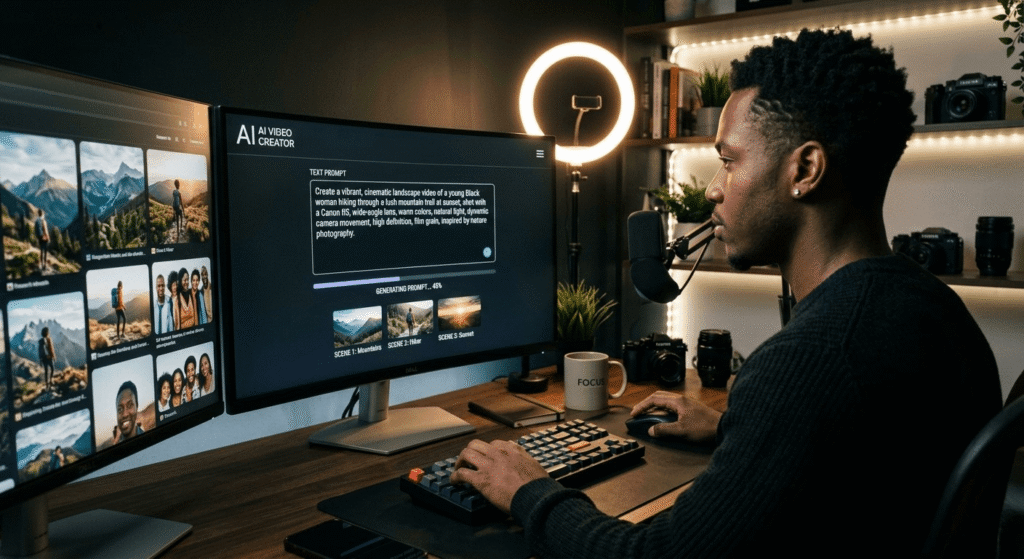
1. Specificity beats creativity in prompts. Every tool performed better with detailed, directive prompts. “A close-up of coffee being poured into a white ceramic mug, steam rising, warm kitchen lighting, slow motion, cinematic” outperformed “coffee video” by a wide margin on every platform tested.
Many beginners combine video tools with ChatGPT for scripts and content ideas. Here’s how to use ChatGPT to make money online in 2026.
2. Test at 5 seconds before committing credits to longer clips. Longer generations consume more credits and take more time. Run a 5-second test prompt first to confirm the style and motion look right, then generate the full version.
3. Download everything immediately. Several platforms delete free-tier generations after 24–72 hours. Build the habit of downloading right after generation.
4. Check commercial use terms before publishing. “Free for personal use” and “free for commercial use including monetized YouTube channels” are very different things. Seedance allows limited commercial use on free. CapCut’s manual editing exports include a limited commercial license. Kling and Pika restrict commercial use to paid tiers. Read the terms before you monetize.
5. Use negative prompts where supported. On Seedance and Veo 3.1, adding what you don’t want (“no text overlay, no distortion, no jumpcuts”) can noticeably clean up the output.
The 2026 Shift: Why Free Tiers Are Actually Getting Better
Something notable happened between 2024 and now. In 2024, nearly every major AI video tool used watermarks aggressively to push free users toward paid plans. By mid-2026, that’s changing.
A few key developments explain why:
OpenAI shut down Sora in March 2026. The app closed April 26, and the API shuts down September 24, 2026. OpenAI cited losses of roughly $1 million per day with declining users. The collapse pushed a large creator community toward alternatives — and platforms like Seedance, Veo 3, and Kling benefited directly from that migration.
ByteDance (Seedance, CapCut) is playing a long game. With TikTok as the primary distribution platform and CapCut as the editing tool, ByteDance has strong incentive to keep the AI video creation barrier as low as possible. Generous free tiers are a strategic investment, not charity.
Google opened Veo 3.1 to all Google account holders in April 2026. Even with the free-tier watermark limitation, making a frontier model accessible to anyone with a Gmail account is a significant change from early 2025 when Veo was invite-only.
The competition isn’t slowing down. Expect higher resolution limits, longer free clip durations, and broader commercial use rights on free plans throughout the rest of 2026 and into 2027.
For a broader look at tools that are genuinely useful, see these 5 free AI tools that actually work in 2026 without VPN or credit card.
People Also Ask: Free AI Video Generators Without Watermark
Is there a truly free AI video generator without watermark in 2026?
Yes, but the options are more limited than most listicles suggest. Seedance 2.0 (via seedance.tv) offers watermark-free downloads on its free tier with credits provided at signup — no credit card required. CapCut also exports without a watermark, but only for manually edited projects; its AI video generation features add a watermark on the free plan. Stable Video Diffusion is completely free and watermark-free if you run it locally on your own computer.
Does CapCut add a watermark to AI-generated videos?
It depends on how you use it. If you edit your own footage in CapCut (trimming, adding music, captions, effects), the export is watermark-free at 1080p on the free plan. However, if you use CapCut’s built-in AI video generation features — such as text-to-video or AI avatar creation — the output carries a watermark until you upgrade to the Standard plan ($9.99/month) or Pro plan ($19.99/month).
Is Veo 3 free without watermark?
No. As of June 2026, Google Veo 3.1’s free tier through Google Flow and Google Vids adds a visible “Made with Veo” watermark. Removing it requires the Google AI Ultra subscription at $249.99/month. Google AI Studio provides some developer access with limited free credits, but commercial use terms at that access level are unclear. Veo 3.1 is exceptional in quality, but it is not a watermark-free free option for most creators right now.
Are free AI-generated videos allowed on monetized YouTube channels and paid projects?
It depends on the platform and plan. Seedance 2.0 allows limited commercial use on the free tier — but verify the current terms before using clips in paid advertising or client deliverables. CapCut’s free manual editing exports come with a limited commercial license. Kling AI and Pika Labs restrict commercial use to paid plans. Always read the terms of service before monetizing AI-generated content on YouTube, social media, or client projects.
What happened to OpenAI Sora in 2026?
OpenAI shut down Sora on March 24, 2026, citing approximately $1 million per day in losses alongside declining user engagement. The mobile app closed April 26, 2026, and the API is scheduled to shut down September 24, 2026. The Disney creative partnership also ended. Most creators who used Sora have migrated to Seedance 2.0, Veo 3.1, and Kling AI as the primary alternatives.
Which free AI video generator works best on a mobile phone?
For pure AI video generation on mobile, Seedance 2.0 works well on both Android and iOS through its browser interface. For editing your own footage with AI-powered tools (captions, transitions, background removal), CapCut’s mobile app is the most polished option available and runs smoothly on mid-range Android devices — a real advantage for anyone creating content from a budget or mid-range handset rather than a $1,000 flagship.
How many free videos can I make per day with these tools?
It varies significantly by platform. Seedance 2.0 provides a credits batch at signup (not an unlimited daily refresh). Google Veo 3.1 via Google Vids offers around 50 daily credits (enough for a handful of 8-second clips). Both Kling AI and Pika Labs top up your credit balance every 24 hours — how far that gets you in a day depends on clip length and quality settings, but most users land somewhere between 10 and 30 generations. CapCut’s manual editing is unlimited on the free tier; AI video generation credits are limited.
Do free AI video generators work without creating an account?
Most free AI video generators without watermark require a free account to save and export your work. However, none of the tools on this list require a credit card to sign up. Google Veo 3.1 works with any existing Google account. Seedance 2.0 requires email signup. CapCut allows signup via Google, TikTok, or email. For a true no-account option, Stable Video Diffusion running locally requires no login of any kind.
Final Verdict: The Best Free AI Video Generators Without Watermark in 2026
The honest summary after three weeks of testing: the market is better than it’s been, but it’s not as simple as every comparison chart makes it look.
After testing multiple platforms, these free AI video generators without watermark show that beginners can now create usable AI videos without starting with a paid plan.
If you need a clean, watermark-free export today from a best free AI video generator 2026, Seedance 2.0 via seedance.tv is the most straightforward starting point. The free credits at signup give you enough to build a real sense of what the tool can do, the exports are genuinely watermark-free, and the interface won’t overwhelm a beginner.
If you primarily edit your own footage rather than generate from text prompts, CapCut remains one of the most capable free tools available — just go in knowing that its AI generation features carry a watermark on the free plan.
And if quality is your priority and you can work with a watermark during the testing phase, Veo 3.1 is worth exploring through Google Flow — even watermarked, it’s one of the most technically impressive things you can access for free right now.
The broader shift happening in 2026 is real: free tiers are improving because competition is intensifying. Tools that were paid-only twelve months ago are opening up. Models that cost money per generation are now accessible with a Google account. That trend is likely to continue — which means the best time to start learning these tools is now, while the free access is at its most generous.
If you’re looking for more beginner-friendly resources, explore these free AI resources for beginners in 2026.
Start with one tool. Generate ten clips. Learn what kinds of prompts produce the results you need. That hands-on familiarity is worth more than any comparison guide — including this one.
Want to turn AI skills into income? Follow this realistic AI earning timeline for beginners 2026 to understand what results are actually possible.
This article was last tested and updated on June 24, 2026. Watermark policies, free tier limits, and pricing change frequently in this space — always verify current terms on each platform’s official website before making decisions.