

Free AI Tools for Beginners in Asia 2026 are helping students, freelancers, and mobile users learn new skills and start online work without a credit card or investment.
Let’s be honest.
Most AI tool guides are written for people who already have a laptop, credit card, and fast internet. You open them, get excited, and then realize — many tools don’t work properly in Asia. Payments fail, apps consume too much data, and tutorials assume prior knowledge.
This guide is different.
It is written for beginners in Asia, especially those using an Android phone, who want to start using AI tools without spending any money.
No hype. No fake promises. Just practical, working information.
Why Asia Is Growing Fast in AI Adoption
AI usage is growing rapidly across Asia. Millions of new users are adopting tools like ChatGPT and other AI platforms for learning, content creation, and earning online.
The reason is simple:
- Smartphones are widely available
- Internet access is improving
- People are looking for new income opportunities
Today, a student using a basic Android phone can access the same AI tools as professionals in developed countries.
AI is no longer limited to experts — it is becoming accessible to everyone.
The Reality of “Free” AI Tools
Before we start, let’s clear one thing:
Not all “free” tools are truly free.
Some tools:
- Ask for a credit card
- Offer limited trials
- Don’t work well on mobile
So here’s the rule used in this guide:
👉 A tool is only considered free if:
- No credit card is required
- It works on a phone
- It can be used with basic internet
- It is accessible in Asia
Every tool below follows this standard.
👉 Want to know which AI apps actually work on Android in Pakistan without a laptop? Check our complete beginner guide to the best free AI tools for mobile users in 2026.
Free AI Tools for Beginners in Asia 2026 (No Credit Card Needed)
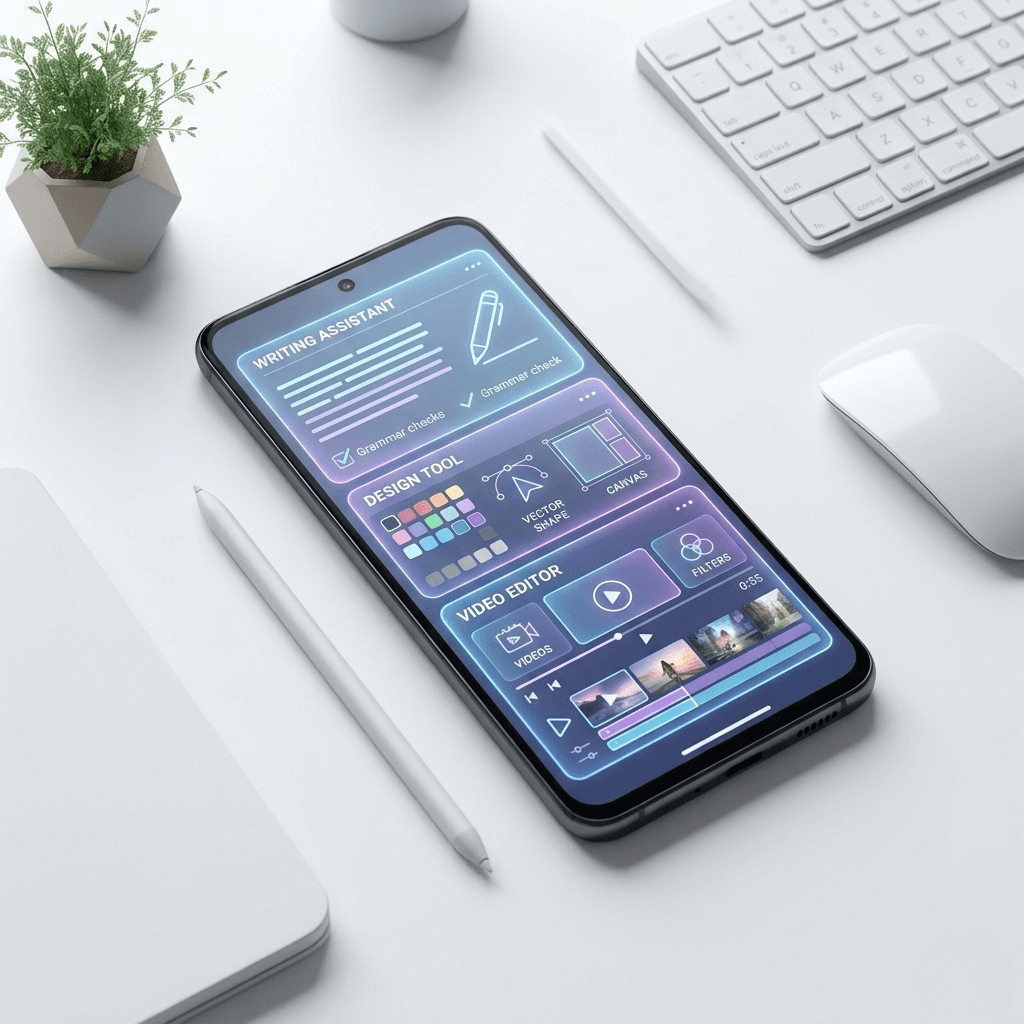
1. ChatGPT (Free Plan)
Best for: Writing, learning, ideas
ChatGPT is the best starting point for beginners. The free version is powerful enough for daily use.
You can use it to:
- Write blog posts
- Create social media captions
- Get study help
- Generate ideas
- Draft emails
Pro Tip:
Use simple English or Roman Urdu prompts like:
“Write caption for Pakistani clothing brand casual tone”
Limitation:
Daily usage limits during peak hours.
2. Google Gemini
Best for: Students, research, productivity
Gemini works smoothly with Google Docs and Gmail, making it ideal for students.
Why it’s useful:
- Helps with assignments
- Summarizes topics quickly
- Works directly on Android
If you already use Google services, this tool becomes even more powerful.
3. Canva AI
Best for: Design, social media, freelancing
Canva allows beginners to create professional designs without experience.
You can create:
- Instagram posts
- YouTube thumbnails
- CVs and resumes
- Presentations
🔥 Real Example (Pakistan)
Many beginners in Pakistan are earning by designing posts for small businesses using Canva — all from their phones.
This proves one thing:
👉 You don’t need expensive software to start.
Explore this beginner guide to discover the best free AI design tools available in Pakistan without needing a credit card.
4. Leonardo AI
Best for: AI image generation
Leonardo AI gives free daily credits for generating images.
Use it for:
- Thumbnails
- Social media visuals
- Product images
This is especially useful for freelancing and content creation.
5. CapCut
Best for: Video editing
CapCut is one of the easiest AI video editing tools available.
Features:
- Auto captions
- AI video editing
- Easy mobile interface
Use cases:
- Reels & TikTok
- YouTube videos
- Educational content
6. Perplexity AI
Best for: Research
Perplexity provides direct answers with sources.
Instead of searching multiple websites, you get:
- Clear answers
- Verified information
- Faster learning
7. NotebookLM
Best for: Students & study
NotebookLM helps you study smarter.
You can:
- Upload notes
- Ask questions
- Get answers based on your material
This makes it perfect for exams and assignments.
Writing a research paper? Discover the best free AI tools for research papers in Pakistan to save time, improve writing, and simplify your research workflow.
Step-by-Step: How to Start (Beginner Plan)
Step 1: Create Accounts
Sign up using Gmail for:
- ChatGPT
- Gemini
- Canva
- Leonardo AI
- CapCut
⏱ Time: 15–20 minutes
💰 Cost: Zero
Step 2: Practice Real Tasks
Do one task with each tool:
- ChatGPT → Write a caption
- Gemini → Summarize topic
- Canva → Design post
- Leonardo → Create image
- CapCut → Edit short video
👉 Focus on doing, not just exploring.
Step 3: Focus on One Skill (30 Days)
Most beginners fail here.
Don’t try everything.
Pick ONE:
- Writing
- Designing
- Video editing
Practice daily for 30 days.
After that, you will:
- Build confidence
- Have a portfolio
- Be ready to earn
Check out this guide for more free AI tools for small business growth
Realistic Earning Expectations
Let’s be honest.
You won’t earn instantly.
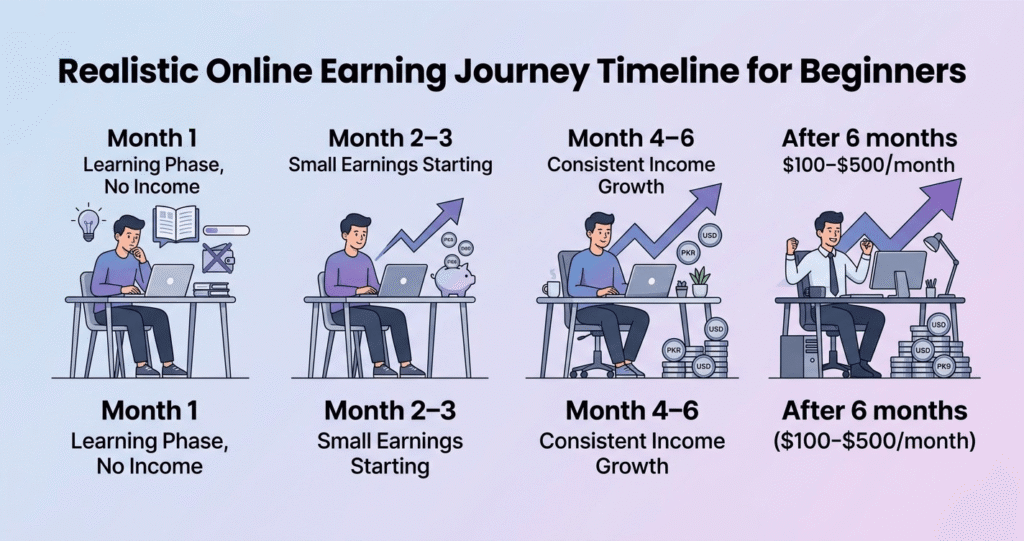
Month 1
Learning stage → No or very low income
Month 2–3
Small earnings start
(₹ / PKR / BDT small gigs)
Month 4–6
Consistent income possible
After 6 Months
$100–$500/month achievable with effort
👉 Key Point:
Consistency matters more than tools.
👉 If you want a realistic roadmap of earning online with AI, check this complete guide on the realistic AI earning timeline for beginners in 2026 from week 1 to consistent income growth.
Common Beginner Mistakes
1. Using Too Many Tools
Stick to 1–2 tools at start.
2. Copy-Paste AI Content
Always edit and improve.
3. Expecting Fast Money
Skills take time.
4. Giving Up Early
First few failures are normal.
5. Watching Too Many Tutorials
Start doing instead.
FAQs
Q1: Can I use AI tools without a credit card?
Yes, all tools listed are free and don’t require payment.
Q2: Do these tools work on mobile?
Yes, all are mobile-friendly.
Q3: Can I earn using free AI tools?
Yes, but it takes time and consistency.
Q4: Which tool is best for beginners?
ChatGPT and Canva are the easiest to start.
Q5: Do I need technical skills?
No, beginners can easily learn step by step.
👉 Using slow internet or limited data? Discover the best AI tools in Pakistan that work smoothly on 3G/4G without heavy data usage.
Conclusion: Start Today
You don’t need:
- A laptop
- A credit card
- Expensive tools
You only need:
- A phone
- Internet
- Consistency
Free AI Tools for Beginners in Asia 2026 make it easier than ever to learn skills, create content, and start earning online using only a smartphone.
AI tools are opening new opportunities for beginners in Asia.
Start small. Stay consistent. Improve daily.
👉 Your phone can become your earning tool.