
Last Updated: July 2026 | Written by Muhammad Ismail, Founder of AiZonePro.com

AI Tools for Slow Internet Pakistan (2026) are becoming essential for students and freelancers who face weak 3G and 4G connections.
Introduction
If you live in Pakistan and try using AI tools on mobile data, you probably already know the issue.
Pages load slowly, responses hang, and sometimes tools don’t even open properly on weak 3G or unstable 4G networks. Whether you are using Jazz, Zong, Ufone, or Telenor, the experience is usually the same — inconsistent internet makes AI tools hard to use.
But here’s the positive side:
You don’t actually need fast internet or high-end devices to use AI tools in 2026.
There are many free AI tools that run smoothly even on slow internet in Pakistan — including 3G networks and low mobile data packages.
In this guide, you will learn:
- Best AI tools that work on slow internet
- Tools that consume very low mobile data
- Practical ways to use them in Pakistan
- Tools you should avoid
- Real freelancing and earning ideas for beginners
This guide is especially useful for:
- Students in Pakistan
- Beginner freelancers on Fiverr
- AI learners
- Users with slow mobile internet
Why Slow Internet Is Still a Problem in Pakistan (2026)
Even though internet services have improved, many users still face:
- Weak 3G signals in rural areas
- Unstable 4G speed in cities
- Expensive mobile data packages
- Load-shedding interruptions
- Network congestion during busy hours
Most modern AI tools are built for high-speed broadband, which creates problems for mobile users in Pakistan.
Common issues users face:
- AI tools take too long to respond
- Pages freeze during processing
- Heavy images and content consume too much data
- Sessions disconnect suddenly
That’s why selecting the right AI tools matters a lot.
How This Guide Helps You
All tools listed here are selected based on:
- Low data consumption
- Smooth performance on 3G/4G
- Free access
- No credit card required
- Mobile-friendly experience
You don’t need expensive devices — just a basic smartphone and working mobile data.
Whether you’re a student or freelancer, these AI Tools for Slow Internet Pakistan are designed to deliver reliable performance without requiring high-speed internet.
Data Usage Rating System
To make things simple:
Data Usage:
🟢 Light — very low data use
🟡 Moderate — medium usage
🔴 Heavy — not suitable for slow internet
Internet Compatibility
✅ Works on 3G
⚠️ Better on 4G
❌ Not recommended for slow internet
👉 These AI Tools for Slow Internet Pakistan are selected based on low data usage and 3G performance.
AI Tools for Slow Internet Pakistan – Best Free Tools (2026)
Many students in Pakistan are now using AI Tools for Slow Internet Pakistan to complete their daily tasks even on weak internet connections.
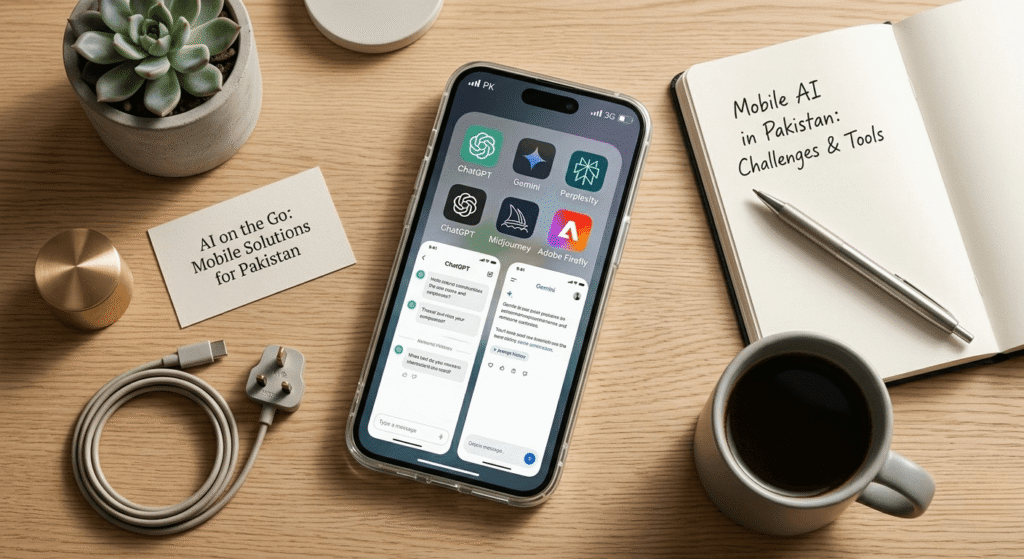
1. Google Gemini — Best for Slow Internet
Data Usage: 🟢 Light
3G Compatibility: ✅ Works smoothly
Free Plan: Yes
Google Gemini is one of the most reliable AI tools for users in Pakistan with slow internet.
Why it works well:
- Simple and lightweight interface
- Optimized for mobile browsers
- Fast response even on weak 3G
- Very low data usage
Best uses:
- Content writing
- Social media captions
- Emails
- Learning support
- Urdu ↔ English translation
Tip: Use it in early morning hours for faster responses.
2. ChatGPT Free Version — Most Powerful All-Round Tool
Data Usage: 🟡 Moderate
3G Compatibility: ⚠️ Works but slower
Free Plan: Yes
ChatGPT is still one of the strongest AI tools available.
Advantages:
- Very intelligent responses
- Useful for freelancing work
- Handles multiple tasks
Limitations on slow internet:
- Slight delay on 3G
- Heavier interface compared to Gemini
Best uses:
- Blog writing
- Fiverr descriptions
- Learning skills
- Content ideas
Tip: Use browser version instead of app for better performance.
If you want a full honest comparison of AI tools, check this guide on best free AI tools in Pakistan 2026 (ChatGPT vs Gemini vs Claude) before choosing the right one.
3. Perplexity AI — Best for Research
Data Usage: 🟢 Light
3G Compatibility: ✅ Works well
Free Plan: Yes
Perplexity AI works like a smart search engine powered by AI.
Benefits:
- Fast loading
- Accurate answers
- Shows sources
Best uses:
- Research work
- Academic help
- Fiverr project understanding
4. Canva Free — Best Design Tool
Data Usage: 🟡 Moderate
3G Compatibility: ⚠️ Better on 4G
Canva is widely used by freelancers in Pakistan.
Features:
- Drag-and-drop design
- Thousands of templates
- Free version is powerful
Best uses:
- Social media posts
- YouTube thumbnails
- Fiverr design work
Tip: Load templates on WiFi first to save data.
5. Microsoft Copilot — Hidden Gem
Data Usage: 🟢 Light
3G Compatibility: ✅ Works well
Copilot runs on Bing and gives AI-powered answers quickly.
Benefits:
- Fast performance
- Free GPT-like responses
- Real-time information
6. Rytr — Lightweight Writing Tool
Data Usage: 🟢 Light
Perfect for short-form content creation.
Best uses:
- Captions
- Product descriptions
- Small Fiverr tasks
7. Grammarly Free — Essential Writing Tool
Data Usage: 🟢 Light
Grammarly helps improve writing instantly.
Benefits:
- Fixes grammar mistakes
- Improves English quality
- Useful for freelancing success
8. Otter.ai — Transcription Tool
Data Usage: 🟡 Moderate
Useful for converting speech into text.
Best uses:
- Transcription jobs
- Freelance projects
- Content conversion
New to AI and don’t know where to start? Explore the best free AI tools for beginners in Pakistan that work on mobile with zero investment.
Benefits of AI Tools for Slow Internet Pakistan
Using AI tools in Pakistan is not just about convenience — it actually solves a real problem for students and freelancers who struggle with slow internet.
These tools are designed to work on low data and weak 3G/4G connections, which means you can still learn, work, and earn without needing expensive internet packages.
Some key benefits include:
- You can complete tasks even on basic mobile data
- No need for high-speed WiFi or expensive devices
- Helps students with assignments and learning
- Allows freelancers to work from anywhere in Pakistan
- Saves time by giving quick AI responses even on slow networks
In simple words, these AI tools make it possible to stay productive even when the internet is not perfect.
How AI Tools for Slow Internet Pakistan Help Freelancers and Students
For students and freelancers in Pakistan, slow internet is a daily challenge. But AI tools are changing that completely.
Students can use these tools to understand difficult topics, write assignments, and translate content without waiting for heavy pages to load.
Freelancers can use them to create Fiverr gigs, write descriptions, design posts, and communicate with clients more efficiently — even on low-speed internet.
Here’s how they help in real life:
- Students complete homework faster with AI assistance
- Freelancers can deliver client work on time
- Content creation becomes easier even on mobile data
- No need to depend on fast internet cafés or WiFi
- Helps beginners start earning online with basic setup
Overall, these tools are like a “digital assistant” that works even when your internet is slow.
Choosing the right AI Tools for Slow Internet Pakistan can help you complete daily tasks faster while using less mobile data.
Comparison Table of AI Tools
Before choosing an option, compare these AI Tools for Slow Internet Pakistan based on data usage, 3G compatibility, and their best use cases.
| Tool | Data Usage | 3G Support | Best Use |
|---|---|---|---|
| Gemini | Light | Yes | Writing, learning |
| ChatGPT | Moderate | Slow | Freelancing |
| Perplexity | Light | Yes | Research |
| Canva | Moderate | Partial | Design |
| Copilot | Light | Yes | General AI |
| Rytr | Light | Yes | Short writing |
| Grammarly | Light | Yes | Writing correction |
| Otter.ai | Moderate | Partial | Transcription |
Internet speed is not the only challenge for Pakistani users; some platforms also have availability issues. See our list of AI tools that work without VPN in Pakistan for easier access.
Pakistani Internet Optimization Tips
These optimization tips will help you get the best performance from AI Tools for Slow Internet Pakistan on mobile networks.
1. Use AI in Morning Hours
Best speed usually between 6AM–9AM
2. Avoid Heavy Tools on Mobile Data
Video-based AI tools consume too much data
3. Use Google Docs
Helps auto-save your work
4. Preload on WiFi
Download templates and drafts in advance
Want to get more productive with AI? Explore this beginner-friendly AI automation guide to learn how to connect AI tools, automate repetitive tasks, and build smarter workflows step by step.
Tools You Should Avoid on Slow Internet
- Midjourney
- Runway ML
- Pika Labs
- Adobe Firefly
- Notion AI (slow on mobile data)
Best Mobile Networks for AI in Pakistan
Choosing the right mobile network can significantly improve your AI experience in Pakistan, especially when using tools on mobile data for freelancing, study, or content creation.
| Mobile Network | Performance for AI Tools | Coverage Area | Best For | Why It’s Good for AI Users |
|---|---|---|---|---|
| Zong | ⭐ Very Fast | Cities + Urban areas | Heavy AI usage | Fast loading and best speed for AI tools and apps |
| Jazz | ⭐ Fast & Stable | Nationwide (Strong coverage) | Freelancers & students | Most reliable network across Pakistan for AI work |
| Ufone | ⭐ Medium | Good coverage | Basic AI usage | Works fine for light AI tasks and browsing |
| Telenor | ⭐ Medium | Rural + small towns | Light users | Better in rural areas, suitable for simple AI tasks |
After reviewing the comparison, it is clear that Zong and Jazz are the most reliable options for AI users in Pakistan, especially for freelancers and students who depend on stable internet for daily work.
Zong — Fastest in cities, best for AI tools
Jazz — Strong coverage across Pakistan
Ufone / Telenor — Average performance
Internet speed isn’t the only challenge for beginners — phone performance matters too. See our guide to AI tools that work smoothly on low-RAM Android phones.
Ideal AI Workflow for Pakistan Users
Morning:
- Gemini or ChatGPT for writing
- Perplexity for research
Afternoon:
- Canva design work
- Grammarly editing
Evening:
- Client communication
- Light tasks only
Real Case Study (Pakistani Freelancer)

A beginner from Multan used:
- Gemini
- Canva
He started working on Fiverr and earned within weeks by:
- Creating social media posts
- Writing captions
- Targeting local clients
Lesson: Skills and consistency matter more than internet speed.
Frequently Asked Questions (FAQ)
Which AI tool uses the least data?
Gemini and Perplexity are the lightest.
Can ChatGPT work on 3G?
Yes, ChatGPT is part of AI Tools for Slow Internet Pakistan, but it may work slowly on 3G.
Do I need VPN?
No, most tools work in Pakistan without VPN.
Which network is best?
Zong in cities, Jazz in rural areas.
Can I earn with AI tools?
Yes, especially through freelancing platforms like Fiverr.
Conclusion
In conclusion, the AI Tools for Slow Internet Pakistan featured in this guide prove that slow internet doesn’t have to stop you from learning, freelancing, or creating content online.
Whether you’re using a basic smartphone or a limited 3G/4G mobile data package, choosing the right AI Tools for Slow Internet Pakistan can help you save data, improve productivity, and complete everyday tasks more efficiently.
Slow internet is not the only challenge for budget users; phone memory also affects AI performance. Read our AI tools comparison for 2GB RAM and 4GB RAM phones to choose apps that match your hardware.
Start with lightweight tools like Gemini, Perplexity AI, and Microsoft Copilot, then explore advanced options as your skills and internet connection improve. With the right strategy, these AI Tools for Slow Internet Pakistan can help you learn new skills, grow your freelance career, and earn online in 2026 and beyond.