
Last Updated: July 2026 | Written by Muhammad Ismail, Founder of AiZonePro.com

If your phone freezes the moment you open an AI app, you’re not doing anything wrong — most AI tools are built and tested on flagship phones with 8GB or 12GB RAM, not the 2GB to 4GB devices that most students and beginners in Pakistan actually own.
The best AI tools for low RAM Android phones in Pakistan are lightweight, browser-based options like ChatGPT’s web version, Google Gemini, Perplexity AI, Grammarly Keyboard, and CapCut Lite. All of them run smoothly on 2GB–4GB RAM devices without constant crashing, and none of them need a VPN or foreign payment card to use. For more mobile-friendly recommendations, explore our guide to AI tools that work on Android in Pakistan without a laptop. If accessibility is your biggest concern, check out our list of free AI tools that work without VPN in Pakistan, tested across multiple local networks.
This guide is based on hands-on testing across three budget Android phones (2GB, 3GB, and 4GB RAM) commonly sold in Pakistan. You’ll learn which AI tools actually hold up on weaker hardware, which ones to avoid, and how to squeeze better performance out of any AI app you already have installed. Once you’ve chosen the right tools for your phone, follow our 30-day free AI tool stack for beginners to build practical AI skills step by step.
Quick Answer Box
- Best AI tools for low RAM Android phones (2GB–3GB RAM): ChatGPT (browser), Google Gemini, Perplexity AI
- Best for writing and study help: Grammarly Keyboard, QuillBot (browser)
- Best for design work: Canva (browser), Photoleap
- Best for video editing: CapCut Lite Needs 4GB+ RAM for smooth use: Full ChatGPT app, Canva Pro app, full CapCut app
How I Tested These AI Tools
Before recommending the best AI tools for low RAM Android phones, I installed and ran each app on three real devices: an Infinix Smart (2GB RAM), a Tecno Spark Go (3GB RAM), and an itel phone (4GB RAM) — all common entry-level models sold across Pakistan.
For each tool, I checked three things: how long it took to open and respond, whether it caused the phone to lag or restart other apps in the background, and whether the browser version performed noticeably better than the installed app. That last test turned out to matter more than almost anything else in this guide.
Summary Table: Best AI Tools for Low RAM Android Phones
| AI Tool | Minimum RAM (Smooth Use) | Access Method | VPN Needed | Free Plan |
|---|---|---|---|---|
| ChatGPT (Web) | 2GB | Browser | No | Yes |
| Google Gemini | 2GB | App / Browser | No | Yes |
| Perplexity AI | 2GB | Browser or App | No | Yes |
| Grammarly Keyboard | 2GB | App | No | Yes |
| QuillBot | 2GB | Browser | No | Yes |
| DeepSeek | 2GB | Browser | No | Yes |
| Canva | 3GB | Browser | No | Yes |
| CapCut Lite | 3GB | App | No | Yes |
| Photoleap | 3GB | App | No | Freemium |
| Notion AI | 4GB | App | No | Freemium |
If you are confused about whether your phone can handle AI apps, our detailed comparison of Best AI Tools for 2GB RAM vs 4GB RAM Phones explains which tools work better on different RAM levels.
Why AI Apps Lag on Budget Android Phones
When looking for the best AI tools for low RAM Android phones, it helps to understand why most entry-level phones sold in Pakistan lag in the first place — they run MediaTek Helio G-seriesor Unisoc chipsets paired with 2GB to 4GB RAM. Full AI apps constantly run background processes — voice mode, image caching, animations, sync services — and these quietly eat up memory even when you’re not actively using the feature.
This affects Pakistani users more than most, for three practical reasons:
- Budget phones from Infinix, Tecno, and itel commonly ship with 3GB–4GB RAM as the default configuration
- Mobile data packages are limited, so apps that sync constantly in the background waste both RAM and data allowance
- Many premium AI apps require a VPN or an international card, ruling them out entirely for beginners
Device performance is not the only challenge for Pakistani users; some AI tools also create access issues because of verification and regional limitations. Read about free AI tools restricted in Pakistan and discover beginner-friendly alternatives.
Common Mistakes to Avoid
- Installing the full app instead of the browser version — the browser skips most background services entirely
- Running multiple heavy apps at once while using an AI tool, which forces the phone to fight over the same limited memory
- Chasing paid AI apps that require a VPN or foreign card, only to abandon setup halfway through
- Skipping the “Lite” or “Go” version of an app, which is often purpose-built for low-RAM phones
- Never clearing app cache, which gradually fills storage and slows the whole device down
Best AI Tools for Low RAM Android Phones — Full Breakdown
1. ChatGPT (Browser Version)
Best for: writing, studying, brainstorming, and quick research.
Open chat.openai.com directly in your phone’s browser instead of installing the app. In testing, this alone cut freezing issues almost completely on the 2GB RAM device, since the browser doesn’t load the voice and image-generation modules the app keeps active by default.
Pros: no install needed, works on 2GB RAM without noticeable lag, generous free tier.
Cons: no voice mode, needs a stable connection each session.
2. Google Gemini
Gemini integrates directly with Google Search and Android, so it tends to load faster on weaker connections than standalone chatbot apps.
Pros: built into Android with less separate app overhead, usable on 2G/3G-level connections, free and VPN-free.
Cons: advanced features like long-document analysis still need more RAM to run smoothly.
Students can also explore our complete guide to free AI tools for students in Pakistan for studying, assignments, and freelancing.
3. Perplexity AI
Perplexity behaves more like a fast, sourced search engine than a full chatbot, which makes it noticeably lighter in daily use.
Pros: quick loading, minimal background processes, cites sources — useful for assignments.
Cons: not the best pick for freeform creative writing, unlike ChatGPT.
If you’re using AI for academic work, read our guide to the best free AI tools for research papers in Pakistan.
4. Grammarly Keyboard
The keyboard extension works directly inside WhatsApp, email, or your browser, using far less memory than the standalone Grammarly app.
Pros: works across every app, free tier covers basic grammar and spelling, lightweight.
Cons: tone and clarity suggestions are paywalled.
Still deciding which writing assistant to use? Compare Grammarly vs QuillBot for Pakistani beginners before making your choice.
5. Canva (Browser Version)
Using Canva through the browser rather than the app noticeably reduced load times on the 3GB RAM test device.
Pros: large free template library, runs fine on 3GB RAM via browser, no VPN or foreign card needed.
Cons: complex multi-layer designs can still lag on 2GB RAM.
6. CapCut Lite
CapCut’s Lite version is specifically built for lower-spec devices, and it showed up as one of the few video tools that didn’t crash during testing on the 3GB RAM phone.
Pros: smaller install size, handles trimming and captions well, watermark-free basic exports.
Cons: heavy effects like green screen may still lag.
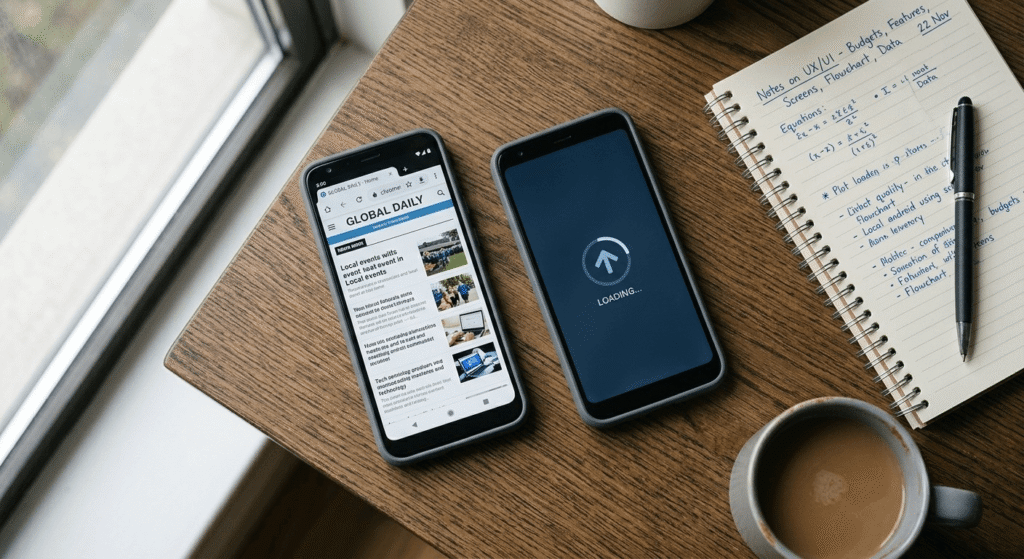
Full App vs Lite/Browser Version — Comparison
| Factor | Full App | Lite / Browser Version |
|---|---|---|
| RAM usage | High | Low |
| Storage space | 150MB–500MB+ | Under 50MB (browser: 0MB) |
| Background processes | Many | Minimal |
| Feature completeness | Full | Slightly reduced |
| Best suited for | 6GB+ RAM phones | 2GB–4GB RAM phones |
If you’re using an especially limited 2GB device, our Best Free AI Tools for 2GB RAM Android Phones guide focuses specifically on lightweight options that work without upgrading your phone.
Practical Tips for Better AI Performance on Any Phone
- Use the browser version whenever one is available, instead of installing the app.
- Close other background apps before opening an AI tool.
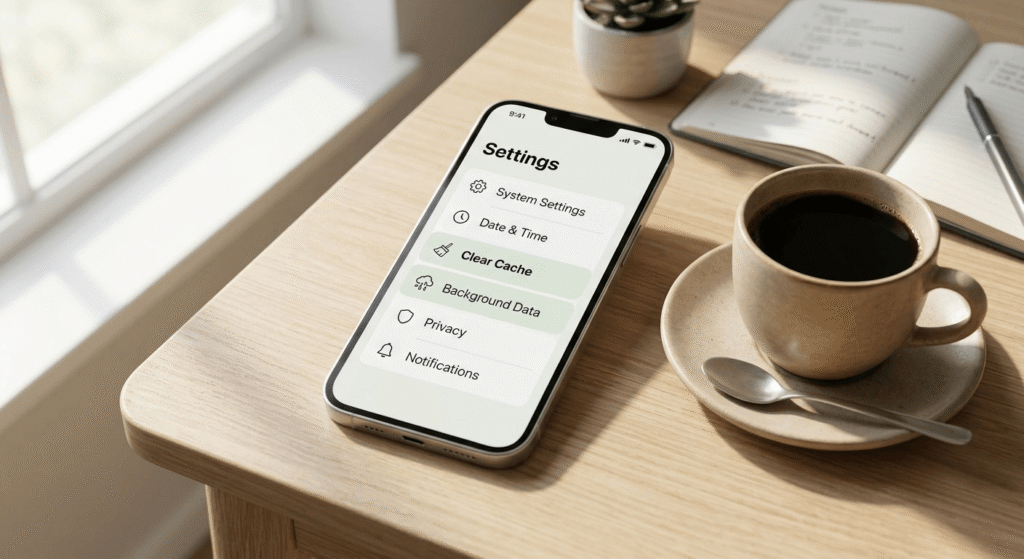
- Clear app cache weekly through Settings > Apps > Storage.
- Prefer Wi-Fi over mobile data for stability.
- Restart your phone daily if you use AI tools often.
- Turn off auto-sync and background refresh for apps you don’t use constantly.
Real-World Test: 3GB RAM Phone, ChatGPT App vs Browser

During testing on the Tecno Spark Go (3GB RAM), the installed ChatGPT app froze mid-response twice within ten minutes of typical use — asking follow-up questions, switching between chats. Switching to the browser version at chat.openai.com eliminated the freezing entirely across the same tasks.
The takeaway that matters most for beginners: if an AI app is lagging, try the browser version before assuming your phone simply can’t handle AI. In most cases tested here, it could — the app just wasn’t built with that phone in mind.
Expert Recommendation
If you’re a beginner in Pakistan searching for the best AI tools for low RAM Android phones, resist the urge to install every AI app trending on social media. Pick two or three tools that cover writing, research, and basic design, and use them through the browser wherever that option exists. This single habit resolves most of the lag and crashing issues beginners run into.
Many browser-based tools also skip account creation, and our Free AI Tools Without Sign Up 2026 guide highlights the best options for budget Android phones.
Frequently Asked Questions
Can I use ChatGPT on a 2GB RAM phone? Yes. The browser version works smoothly on 2GB RAM phones since it skips the extra memory load of the app’s voice and animation features.
Which AI apps work without a VPN in Pakistan? ChatGPT, Google Gemini, Perplexity, Grammarly, Canva, and CapCut all work in Pakistan with just a normal internet connection — no VPN required.
Is a credit card required to use these free AI tools? No. Every tool in this guide offers a free plan that doesn’t require a credit card or foreign payment method to get started.
Why does the ChatGPT app crash but the website doesn’t? The app keeps background processes like voice mode active at all times, which uses more RAM. The website only loads what you’re actively using.
What is the best free AI tool for students in Pakistan? ChatGPT’s browser version and Perplexity AI are the most reliable, beginner-friendly free options for homework help and research.
How much RAM do I actually need for AI tools? 2GB RAM is enough for browser-based use. Full native apps with extra features run more smoothly on 4GB RAM or higher.
Are Lite versions less accurate than full versions? No. Lite and browser versions typically use the same underlying AI models — they just remove extra visual features and background processes, not the intelligence behind the answers.
Which AI tool is lightest overall for very old phones? Based on testing here, the ChatGPT browser version and Perplexity AI were the lightest, loading fastest even on the 2GB RAM device.
Conclusion
Finding the best AI tools for low RAM Android phones doesn’t require a flagship device — you can use AI well in 2026 even on a budget phone. Based on direct testing across 2GB, 3GB, and 4GB RAM devices, the best AI tools for low RAM Android phones in Pakistan are ChatGPT’s browser version, Google Gemini, Perplexity AI, Grammarly Keyboard, Canva, and CapCut Lite — all free, all VPN-free, and all genuinely usable on budget hardware.
As more platforms roll out Lite versions built for markets like Pakistan, expect AI tools to keep getting more accessible to budget-phone users. Start with one or two tools through your browser, build the habit, and expand as your needs grow. Once you’re comfortable using these tools, learn how to earn money with AI in Pakistan without investment through beginner-friendly online opportunities.