

This is an honest 30 day AI tools review for beginners based on real testing of free AI tools in 2026.
A few months ago, I kept seeing artificial intelligence tools everywhere online.
Every platform was filled with bold claims:
- “AI can replace your job.”
- “This free tool changed my business.”
- “Anyone can make money online using AI.”
- “You’re already behind if you’re not using AI.”
After hearing this constantly, I decided to stop watching videos about AI and test these tools myself.
So I gave myself a simple challenge:
For 30 days, I would use only free AI tools whenever possible during my normal daily routine.
No paid subscriptions.
No coding experience.
No advanced prompts copied from YouTube experts.
Just real usage from someone completely new to AI.
Honestly, I expected most of it to feel overhyped.
But after one full month of testing, my opinion changed more than I expected.
Some tools became genuinely useful in my daily life.
Some sounded impressive at first but quickly became forgettable.
One completely changed how I research information online.
And another saved me an unbelievable amount of time on tasks I normally avoid doing.
This article is not written from the perspective of a tech expert.
It’s written from the perspective of a normal beginner who wanted honest answers.
If you’re curious about free AI tools in 2026 and wondering whether they’re actually worth learning, this review will help you avoid a lot of confusion.
Why I Wanted to Test AI Tools Properly
One thing started bothering me while reading AI content online.
Most reviews didn’t feel realistic.
A lot of articles either:
- praise every AI tool like it’s revolutionary,
- or criticize AI without actually using it properly.
Very few explain what beginners genuinely experience during the first few days.
Nobody talks enough about:
- confusion,
- bad responses,
- free plan limits,
- awkward learning curves,
- or the frustration of figuring out what to type.
That was exactly the situation I was in.
I wanted to know something simple:
Can an average person with basic internet skills actually benefit from free AI tools?
After spending 30 days testing them consistently, my answer is yes — but with important limitations.
AI is not magic.
But it’s definitely more useful than many people realize.
👉 And if you want to see how this actually works in real business growth, explore our guide on the best free AI tools for small business growth in 2026.
How I Tested These AI Tools
To keep everything fair, I used each tool for similar types of tasks.
I didn’t want this to become another “first impression” review after using something for ten minutes.
So I spent multiple focused sessions with every tool throughout the month.
Tasks I Repeated Across Different Tools
| Task | Why I Tested It |
|---|---|
| Writing emails | Check writing quality |
| Summarizing articles | Test understanding |
| Asking factual questions | Measure reliability |
| Brainstorming ideas | Test creativity |
| Tool-specific tasks | Measure practical usefulness |
I also paid close attention to:
- how easy the interface felt,
- how quickly I understood the tool,
- whether results stayed consistent,
- and if I would realistically continue using it after the experiment ended.
That last point mattered the most.
A tool can feel impressive once.
The real question is whether it stays useful after the excitement disappears.
Quick Comparison — Best Free AI Tools for Beginners (2026)
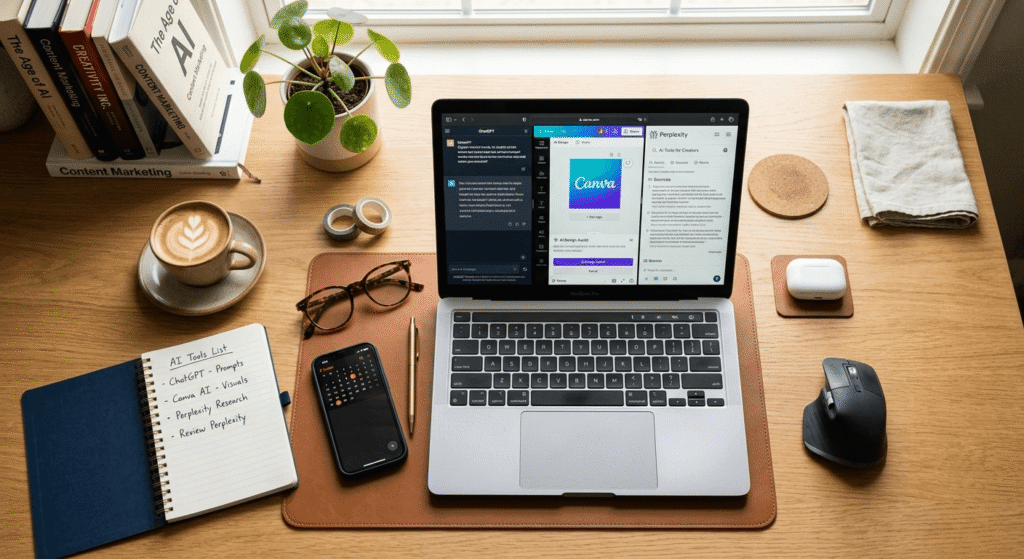
| AI Tool | Best For | Beginner Friendly | Biggest Strength | Biggest Weakness | Overall Rating |
|---|---|---|---|---|---|
| ChatGPT | Everyday writing & help | Very Easy | Fast and simple | Sometimes inaccurate | 8.5/10 |
| Gemini | Current information | Easy | Live web knowledge | Inconsistent responses | 8/10 |
| Claude | Human-like writing | Easy | Natural tone | Strict free limits | 8.5/10 |
| Canva AI | Visual content creation | Moderate | Huge time saver | Limited AI credits | 9/10 |
| Perplexity AI | Research & fact-checking | Moderate | Source citations | Less creative | 8.5/10 |
1. ChatGPT — The Simplest AI Tool for Beginners
ChatGPT was the first tool I tested seriously because it’s the one almost everyone already knows about.
The first thing that surprised me was how approachable it felt.
There wasn’t a complicated setup process or an overwhelming dashboard. I simply opened the website, typed a question, and received a response within seconds.
That simplicity matters a lot for beginners.
The first thing I asked ChatGPT to do was write a polite email regarding a maintenance issue in my apartment.
The result sounded clean, professional, and surprisingly natural.
Not perfect — but good enough that I could realistically use it after a few edits.
That was the moment AI stopped feeling like internet hype and started feeling genuinely practical.
What I Used ChatGPT For Most
As the month continued, ChatGPT became my go-to tool for:
- rewriting awkward messages,
- organizing ideas,
- simplifying difficult topics,
- generating captions,
- and improving rough drafts.
It handled small daily tasks especially well.
The convenience slowly became addictive.
Instead of staring at a blank screen trying to phrase something properly, I could create a solid starting point almost instantly.
Where ChatGPT Struggled
The biggest issue was accuracy.
Sometimes ChatGPT answered questions confidently while giving outdated or partially incorrect information.
That became obvious after I fact-checked several responses manually.
This is important for beginners to understand:
AI should assist your thinking — not replace verification.
For writing help and productivity, ChatGPT is excellent.
For serious factual information, you still need to double-check things yourself.
My Honest Opinion on ChatGPT
Best For:
- Writing assistance
- Productivity
- Brainstorming
- Everyday communication
Weakness:
- Occasionally inaccurate
- Some answers feel repetitive
Final Rating:
8.5/10
For beginners, it’s still the easiest and most practical place to start.
This experience is part of my honest 30 day ai tools review beginners journey
2. Google Gemini — Better for Current Information
Gemini felt noticeably different because it connects more directly with live web information.
That became useful very quickly.
Whenever I asked questions involving recent updates or current topics, Gemini usually performed better than most other chatbots I tested.
The experience also felt familiar because the interface looked similar to other Google products.
If someone already uses Gmail, Docs, or Google Search daily, Gemini feels comfortable immediately.
What I Liked About Gemini
Gemini worked especially well for:
- current events,
- quick research,
- trending topics,
- and general information searches.
I also appreciated that it often displayed sources or links alongside answers.
That transparency made the experience feel more trustworthy.
What Became Frustrating
The quality sometimes changed from one session to another.
Some responses felt excellent and detailed.
Others felt repetitive or overly cautious for simple questions.
It also had a habit of adding long disclaimers when shorter answers would have worked perfectly fine.
Still, for research involving current information, Gemini remained genuinely useful.
My Honest Opinion on Gemini
Best For:
- Current information
- Quick research
- Google users
Weakness:
- Inconsistent response quality
- Less impressive for creative writing
Final Rating:
8/10
A strong option for beginners who care more about research than creativity.
3. Claude — The Most Natural Writer I Tested
Claude ended up becoming one of the biggest surprises during this experiment.
Before using it, I barely knew anything about it.
After a few sessions, I immediately noticed the difference in writing style.
Compared to other chatbots, Claude’s responses felt calmer, smoother, and more thoughtful.
It sounded less robotic.
That became especially noticeable during:
- personal writing,
- emotional messages,
- long explanations,
- and detailed drafts.
Why Claude Felt Different
One evening, I tested all major AI chatbots using the exact same writing prompt.
Claude consistently produced the most natural-sounding result.
Not necessarily more creative — just more human.
The wording flowed naturally and required fewer edits before sounding realistic.
For people who care about writing quality, that difference matters a lot.
Claude’s Biggest Weakness
The free version became frustrating during longer sessions.
Several times, I hit usage limits and had to wait before continuing.
That interruption hurt workflow enough to become annoying.
Still, purely in terms of writing quality, Claude impressed me the most.
My Honest Opinion on Claude
Best For:
- Human-like writing
- Long-form content
- Tone-sensitive communication
Weakness:
- Free message limits
- No real-time internet access
Final Rating:
8.5/10
If natural writing quality matters most to you, Claude is extremely impressive.
4. Canva AI — The Tool That Saved Me the Most Time
Canva AI ended up becoming the biggest surprise of the entire experiment.
I originally thought Canva was simply another design platform.
I completely underestimated its AI features.
Instead of feeling gimmicky, Canva solved practical problems immediately.
The moment everything clicked was when I needed to create a simple event flyer.
Normally, that type of task would take me forever because I’m not a designer.
With Canva AI, I entered a short description and received layouts, design suggestions, fonts, and visual ideas within minutes.
The process felt easy instead of stressful.
What Canva AI Did Well
It became useful for:
- social media graphics,
- presentations,
- flyers,
- visual posts,
- and quick design work.
For beginners with zero design experience, the time savings are real.
👉 Want to create professional designs easily? Explore the best free AI design tools in Pakistan 2026 that let beginners design like professionals without any credit card.
Where Canva AI Fell Short
The free AI image credits disappear quickly if you use them regularly.
And unlike chatbot-style AI tools, Canva obviously isn’t designed for:
- deep conversations,
- factual research,
- or long-form writing.
Its strength is speed and simplicity for visual content creation.
My Honest Opinion on Canva AI
Best For:
- Flyers
- Social media graphics
- Presentations
- Visual content creation
Weakness:
- Limited credits
- Not ideal for research or writing-heavy tasks
Final Rating:
9/10
The most practically useful AI tool I tested during this experiment.
5. Perplexity AI — The Research Tool I Trusted Most
Perplexity became one of my favorite discoveries surprisingly fast.
At first, I assumed it would feel similar to every other chatbot.
But the experience was different because Perplexity focuses heavily on sources and citations.
Every answer included references that could actually be checked.
That instantly made the tool feel more reliable.
Why Perplexity Became So Useful
Instead of simply giving answers, it showed where information came from.
That completely changed the experience.
I started using it regularly for:
- research,
- comparing products,
- fact-checking claims,
- understanding news,
- and learning unfamiliar topics quickly.
For beginners worried about misinformation, this approach feels much safer.
Its Biggest Weakness
Perplexity is much stronger at research than creativity.
It’s excellent for finding and organizing information.
But for storytelling, emotional writing, or creative projects, other tools performed better.
We also tested a different side of AI tools by examining 5 AI detectors on real student writing to see how accurately they identify AI-generated text.
My Honest Opinion on Perplexity AI
Best For:
- Research
- Fact-checking
- Source verification
Weakness:
- Less creative
- Slightly more technical feel
Final Rating:
8.5/10
One of the most underrated AI tools for beginners in 2026.
👉 If you’re starting your AI journey, check this complete guide on best free AI resources for beginners in 2026 including tools, courses, and communities with no credit card required.
The Biggest Lessons I Learned After 30 Days
1. No AI Tool Does Everything Perfectly
This was my biggest beginner mistake.
I kept expecting one tool to handle every task perfectly.
That never happened.
The best experience came from using different tools for different needs.
2. AI Gets Easier Faster Than Expected
The first few sessions felt awkward.
But after some repetition, using AI started feeling surprisingly natural.
You do not need advanced technical skills to benefit from these tools.
3. Free AI Tools Are Already Genuinely Useful
Not magical.
Not life-changing overnight.
But genuinely useful in practical everyday ways.
They save time, simplify repetitive work, and reduce mental effort during routine tasks.
That alone makes them worth learning.
Another insight from this honest 30 day AI tools review beginners was unexpected productivity gain.
👉 Want to learn how beginners are using free AI tools to make money online in 2026? Discover simple, step-by-step methods that actually work without investment.
Important Things Beginners Should Remember

AI Can Still Be Wrong
Even the best AI tools occasionally provide inaccurate information.
Important decisions should never rely completely on AI-generated answers.
Always verify:
- financial information,
- health advice,
- legal topics,
- and serious factual claims.
Human Judgment Still Matters
AI can organize information and generate ideas.
It cannot replace:
- critical thinking,
- personal experience,
- or common sense.
Privacy Still Matters
Sensitive personal information should always be handled carefully.
Most free AI platforms still collect conversation data in some form.
👉 Want a complete beginner-friendly guide to AI tools in Asia? Explore the best free AI tools in 2026 you can use on your phone with zero investment and no technical skills required.
Which AI Tools Would I Personally Keep Using?
After the experiment ended, these were the tools I continued returning to regularly:
| Purpose | Tool I Preferred |
|---|---|
| Everyday writing help | ChatGPT |
| Accurate research | Perplexity |
| Natural long-form writing | Claude |
| Visual content creation | Canva AI |
| Current information | Gemini |
👉 Not sure which AI tool is right for you? Explore our detailed comparison of ChatGPT, Gemini, and Claude to find the best free AI tool for students, freelancers, and beginners in Pakistan.
Final Thoughts — Was This Experiment Worth It?
Absolutely.
Before this month, AI mostly felt like internet hype to me.
Now it feels more like a practical set of tools that can genuinely improve everyday productivity when used properly.
Not every tool impressed me equally.
But several became genuinely useful faster than I expected.
The most important thing I realized is this:
People who benefit most from AI are usually not the ones chasing shortcuts.
They’re the people using these tools to improve normal tasks they already do every day.
If you’re a beginner in 2026, my advice is simple:
Start with one tool.
Use it consistently for a week.
Stay patient during the awkward beginning.
And focus on practical use instead of hype.
That’s where the real value starts to appear.
Overall, this honest 30 day ai tools review beginners helped me understand AI tools deeply.
If you want to repeat a similar learning journey yourself, follow our week-by-week 30-day free AI tool stack designed for complete beginners.