Last Updated: July 2026 | Written by Muhammad Ismail, Founder of AiZonePro.com

If you’ve searched for AI tools for Urdu content creation, you’ve probably run into the same problem everyone does: most AI tools are built for English first, and Urdu output often feels stiff, robotic, or just off. Voiceovers sound mechanical. Translations lose their tone. Designs mishandle the script.
This guide breaks down the real AI tools for Urdu content creation that actually work in 2026 — for writing, voice, images, and translation — with honest notes on strengths, weaknesses, and how to combine them for the best results. Every tool here has a usable free tier, runs on a normal Android phone, and works in Pakistan without a VPN. We also tested a wider range of free AI tools that work without VPN in Pakistan for beginners looking for reliable access.
If you’re creating content entirely on your phone, check out our guide to AI tools that work on Android in Pakistan without a laptop.
In short: the strongest combination of AI tools for Urdu content creation right now is ChatGPT or Claude for writing, ElevenLabs for voice, Canva’s Magic Studio for images, and Google Translate paired with DeepL for translation — used together as a workflow, not as standalone apps.
Why Urdu Content Needs a Different AI Approach
Urdu isn’t simply “Hindi in a different script,” and it isn’t Arabic either. It carries its own grammar, poetic register, and everyday conversational tone — one that most AI models weren’t trained on as thoroughly as English.
There’s also a second layer to consider: a large share of Pakistani content is written in Roman Urdu (Urdu words typed in English letters) rather than the Nastaliq script. Any serious set of AI tools for Urdu content creation needs to handle both forms well, not just one.
This matters for search visibility too. Urdu search traffic is growing steadily across Pakistan, and content that respects both script and spoken tone consistently outperforms generic, machine-translated output.
Quick Comparison: Best AI Tools for Urdu Content Creation (2026)
| Category | Best Free Tool | Best Paid Upgrade | Works Without VPN in Pakistan |
|---|---|---|---|
| Writing (script + Roman Urdu) | ChatGPT (free tier) | Claude Pro | Yes |
| Voice / Text-to-Speech | ElevenLabs (free credits) | ElevenLabs Creator plan | Yes |
| Images with Urdu text | Canva Magic Studio | Canva Pro | Yes |
| Translation | Google Translate | DeepL Pro | Yes |
| Video + Urdu dubbing | Vidnoz AI (free tier) | Wondershare Virbo | Yes |
Best AI Tools for Urdu Writing
ChatGPT (Free Tier)
ChatGPT is the most flexible entry point among current AI tools for Urdu content creation, handling both formal script and Roman Urdu reasonably well.
Pros:
- Free tier is genuinely usable for blog posts, captions, and video scripts
- Handles mid-sentence code-switching between Urdu and English, common in Pakistani writing
- No installation — works in any browser
Cons:
- Formal Urdu output can read as overly literary for casual content
- Sometimes leans on heavy Persian-rooted vocabulary that feels unnatural in everyday speech
Practical tip: Add “write in simple, everyday Urdu, not formal or poetic Urdu” to your prompt. This single instruction fixes most of the stiffness beginners run into.
Claude
Claude tends to produce smoother, more conversational Roman Urdu than most alternatives, which makes it a strong pick for social captions and casual scripts.
Pros: Consistent tone across longer pieces; natural Roman Urdu phrasing
Cons: Free-tier usage limits are tighter than ChatGPT’s
QuillBot and Grammarly
These are polishing tools, not primary writers, since neither has deep native Urdu grammar checking yet. Use them to clean up the English portions mixed into your Urdu content after drafting in ChatGPT or Claude. If you’re unsure which editing assistant to use, read our comparison of Grammarly vs QuillBot for Pakistani beginners.
Best AI Tools for Urdu Voice and Text-to-Speech
Urdu voiceovers used to sound flat and robotic. That’s changed noticeably over the past year, making voice one of the fastest-improving categories among AI tools for Urdu content creation. If your main goal is creating voiceovers, explore our detailed guide to the best free AI voice generators for Urdu in Pakistan with free and beginner-friendly options.
ElevenLabs
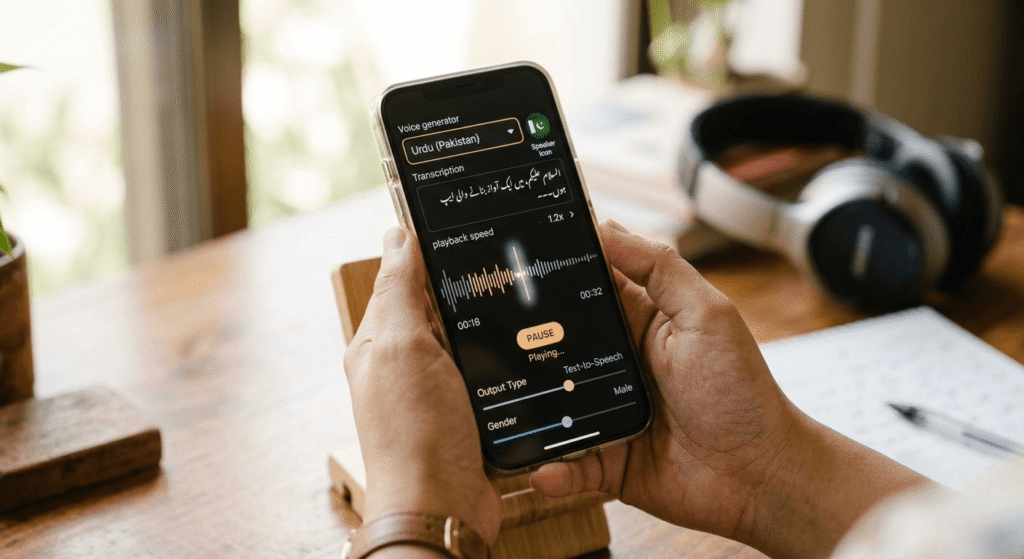
ElevenLabs currently offers the most natural-sounding Urdu voices available for free, including a Pakistan-accented option in both male and female tones.
Pros:
- Natural pacing and emotional range, not flat robotic delivery
- Free tier comfortably covers short-form content (Reels, Shorts, TikTok)
- Browser-based, accessible in Pakistan without a VPN
Cons:
- Free character limits run out quickly with daily content production
- Longer narration (5+ minutes) usually needs the paid plan
AiVOOV and Speechactors
Both provide a dedicated “Urdu (Pakistan)” accent and work well as free backups once ElevenLabs’ credits are used up. AiVOOV also supports voice-typed Urdu input, useful if typing Urdu script on a phone keyboard feels slow.
Common mistake: Beginners often select a generic “Urdu” voice instead of the specific “Urdu (Pakistan)” option where available. The accent difference is noticeable to local listeners.
Best AI Tools for Urdu Images and Captions
Canva Magic Studio
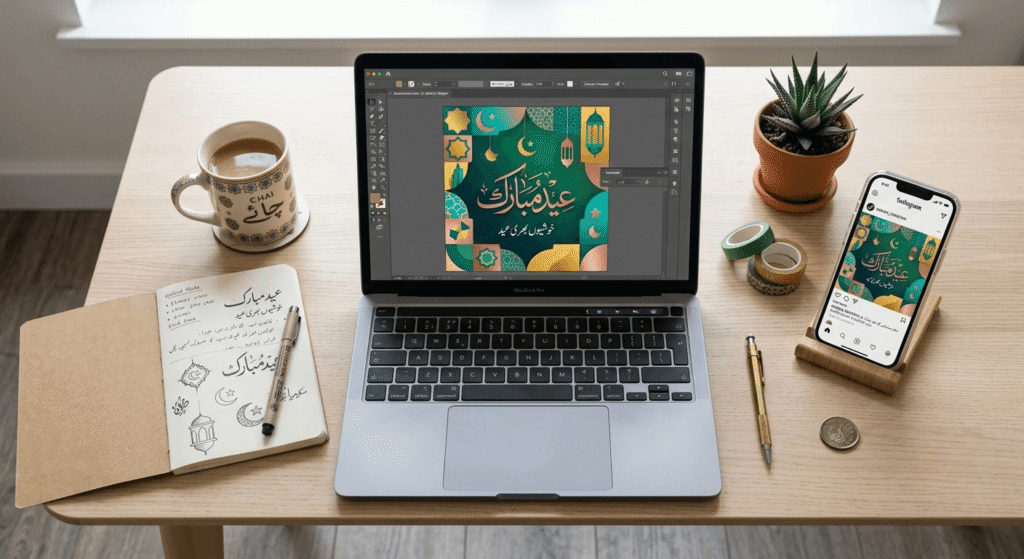
Canva now renders Urdu (Nastaliq) script reasonably well across most templates — a category that used to be a major weak point for AI design tools.
Pros: Generous free tier; runs smoothly on low-end Android phones; strong template library for Pakistani occasions like Eid and Independence Day Cons: Dense calligraphy can still show spacing issues — always preview before publishing
Midjourney and DALL-E
Useful for background art and illustration, but avoid asking either to render Urdu text directly inside an image, since accuracy is still unreliable. Generate the artwork first, then add Urdu text separately in Canva.
Best AI Tools for Urdu Translation
| Tool | Best For | Free? |
|---|---|---|
| Google Translate | Quick everyday translation, voice input | Yes |
| DeepL | More natural sentence structure for longer text | Free tier available |
| Reverso Context | Checking real-world phrase usage over literal translation | Yes |
Expert recommendation: Never publish raw machine-translated Urdu without a human read-through first. Even the strongest tools listed here can produce grammatically correct but culturally awkward phrasing — a quick native-speaker check catches this instantly.
Practical Workflow: Combining These AI Tools for Urdu Content Creation

A realistic workflow for a small Pakistani business — say, a home bakery promoting on Instagram — might look like this:
- Draft the caption in Roman Urdu using ChatGPT
- Generate a matching product image in Canva Magic Studio with Urdu text overlay
- Record a short voiceover using ElevenLabs’ Urdu (Pakistan) voice
- Run any English-to-Urdu product details through DeepL, then read the result aloud once before posting
Used together this way, these AI tools for Urdu content creation can realistically take a single post from idea to publish-ready in around 20 minutes — far faster than manual writing, design, and recording.
If you’re completely new to AI, our 30-day free AI tool stack for beginners provides a structured week-by-week learning plan before you start creating multilingual content.
Common Mistakes to Avoid
- Relying on a single tool instead of combining strengths across categories
- Skipping the human review step for translated or AI-written content
- Using formal or literary Urdu prompts for casual social posts
- Ignoring accent settings in voice tools (generic “Urdu” vs. “Urdu Pakistan”)
- Assuming free tiers are unlimited — most reset monthly or cap character counts
Honest Limitations
No tool on this list is flawless at Urdu yet. Script rendering in image tools still has occasional spacing quirks. Voice tools handle short scripts more reliably than long narration. And every writing tool benefits from a human pass before publishing. Being upfront about this matters — expecting perfection is often what causes beginners to give up after one disappointing result, when a quick fix usually solves it.
Frequently Asked Questions
Which AI tool is best for writing in Urdu script? ChatGPT currently handles both Urdu script and Roman Urdu most reliably for beginners, especially when prompted for a simple, conversational tone instead of formal or poetic Urdu.
Is there a free AI voice generator for Urdu? Yes — ElevenLabs gives you free credits to try Urdu (Pakistan) voices, and once those run out, AiVOOV and Speechactors work well as free alternatives.
Can Canva create designs with Urdu text? Yes. Canva’s Magic Studio supports Urdu (Nastaliq) script in most templates, though dense calligraphy should be previewed before publishing due to occasional spacing issues.
Do these AI tools require a VPN in Pakistan? No. Every tool in this guide — ChatGPT, Claude, ElevenLabs, Canva, Google Translate, and DeepL — works directly in Pakistan without a VPN.
Is machine-translated Urdu good enough to publish directly? Usually not. Tools like DeepL and Google Translate can produce grammatically correct but culturally awkward Urdu, so a quick human read-through before publishing is strongly recommended.
What’s the difference between Urdu script and Roman Urdu? Urdu script uses the Nastaliq writing system, while Roman Urdu writes Urdu words using English letters. Many Pakistani social media users prefer Roman Urdu for casual posts, while formal or older audiences often prefer script.
Are these AI tools suitable for complete beginners? Yes. Each tool in this guide has a usable free tier, works on standard Android phones, and needs no design or writing background to get started. Students without a laptop can also follow our 30-day phone-only AI income plan for Pakistani students to start learning and earning with just a smartphone.
Which combination of AI tools for Urdu content creation works best for small businesses? ChatGPT for captions, Canva for visuals, and ElevenLabs for voice cover most small-business content needs — writing, images, and audio — without any paid subscriptions.
Conclusion
Choosing the right AI tools for Urdu content creation isn’t about finding one perfect app — it’s about combining the right tool for each job. Use ChatGPT or Claude for writing, ElevenLabs for natural-sounding voice, Canva for Urdu-text images, and Google Translate paired with DeepL for translation, with a quick human review at each step.
Once you’ve built these skills, learn how to earn money with AI in Pakistan without investment using beginner-friendly AI services.
As these AI tools for Urdu content creation continue improving through 2026, expect better native script handling and more natural voice options across the board. For now, this combination gives Pakistani creators, students, and small business owners a realistic, mostly-free way to produce quality Urdu content without needing prior design or writing experience. These skills can also help you begin offering writing, design, and content services by following our guide on starting AI freelancing with no experience.
Before building an Urdu content workflow, make sure your chosen AI platforms are actually accessible in your region. Our guide on free AI tools restricted in Pakistan covers common access problems and reliable VPN-free alternatives.